
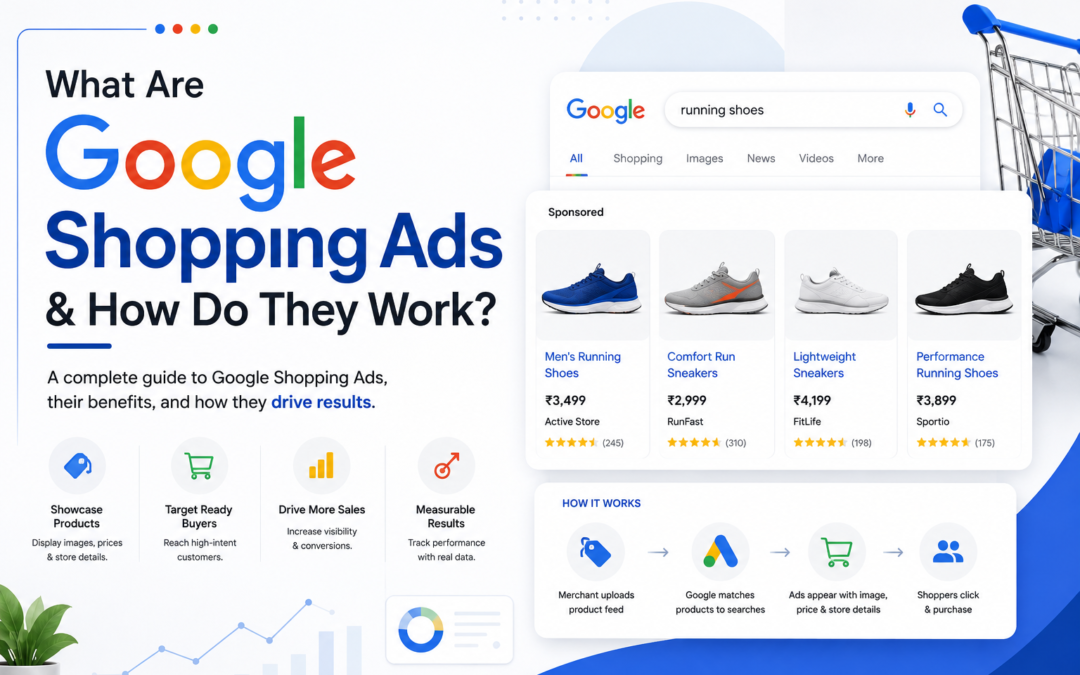
Imagine you are looking for a new pair of shoes; you open Google and type “best running shoes under 3000”. Instead of scrolling through multiple websites, you instantly see products with images, prices, ratings, and the names of different stores, all at the top of the search results. There are chances that you will click on one of those because you know how the item looks, its cost, and where it is sold before even surfing. Those product listings are called Google Shopping Ads.
Unlike traditional text ads, Google Shopping advertisements showcase your products visually, making it easier for the shopper to compare options and make a buying decision fast. For businesses, this means reaching the potential customers who are actively searching for products and are often ready to make a purchase.
In this guide, you will understand what are Google Shopping Ads, and how do Google Shopping Ads work. We will also learn their benefits, Google shopping ads cost, and the best practices to optimise Google Ads shopping campaigns to achieve accountable results from your advertising efforts.
What Is Google Shopping Ads?
Google Shopping Ads, or Google shopping product listing ads are product-focused ads that showcase product details right on the Google search platform. These ads differ from normal text ads in the sense that they incorporate a picture of the product, product name, price, store name, ratings, and promotions, helping shoppers make quicker buying decisions.
In comparison with other types of Google advertising, shopping ads on Google allow consumers to better understand what they are purchasing without having visited your website. As a result, due to being able to compare products and prices right from the search results page, consumers become more interested in clicking on ads that meet their requirements.
A Google Shopping campaign differs from conventional search advertising campaigns in the way that the former does not entirely depend on keywords for product display. Google utilises the data from your product feed, like the product name, description, image, pricing, brands, and availability, to understand the products sold by you and match your products to the right searches.
This allows you to reach customers who are actually searching for the same products you sell.
How Do Google Shopping Ads Work?
Running Google product shopping ads involves more than simply uploading your products. Google uses the information you provide, along with your campaign settings, to determine when and where your ads should appear. Here’s how the process works:
1] Google Merchant Center
The first step is creating a Google Merchant Center account, which is a place where businesses upload and manage their product information. It works as a primary source of product data, allowing Google to understand your product and whether it meets the advertising requirements.
The Product Feed Must Include
Your product feed contains important details about each product, including:
- Product title
- Description
- Price
- Product image
- Brand
- Availability
- Product category
- GTIN or MPN (if available)
Google uses this information to match your product with relevant customer searches; keeping your feed complete and up-to-date is essential to get recognised.
2] Google Shopping Campaign
Once you upload your products to Google Merchant Center, the next thing is to create a Google Shopping campaign in Google Ads. This campaign lets you inform Google of the products that you wish to promote and your budget for advertising the products. During the creation of the Google Shopping campaign, you will be able to set your budget, your bidding method, and your products.
Based on the inputs provided, Google will display the products in relevant search queries
3] Google Matches Products To Search Queries
When users search for any product, Google takes into account your product information rather than just focusing on keywords. It considers:
- Product Title
- Description
- Category
- Product Features
- User Search Intent
- Bidding Strategy
When there is a match between the product and the user’s search, the product qualifies for visibility.
4] Google Ad Auction
In case several businesses are trying to promote their similar products while a person is looking for a certain product, Google carries out an ad auction to determine whose ads will show up.
Winning ads do not necessarily mean that those ads belong to the one who bid the highest. Google considers other parameters like the relevancy of your product to the search query, the quality of your product feed, and the quality of your landing page experience. If you have a good performance in these aspects, your product is likely to get into the Google Shopping Ads.
Types Of Google Shopping Campaigns
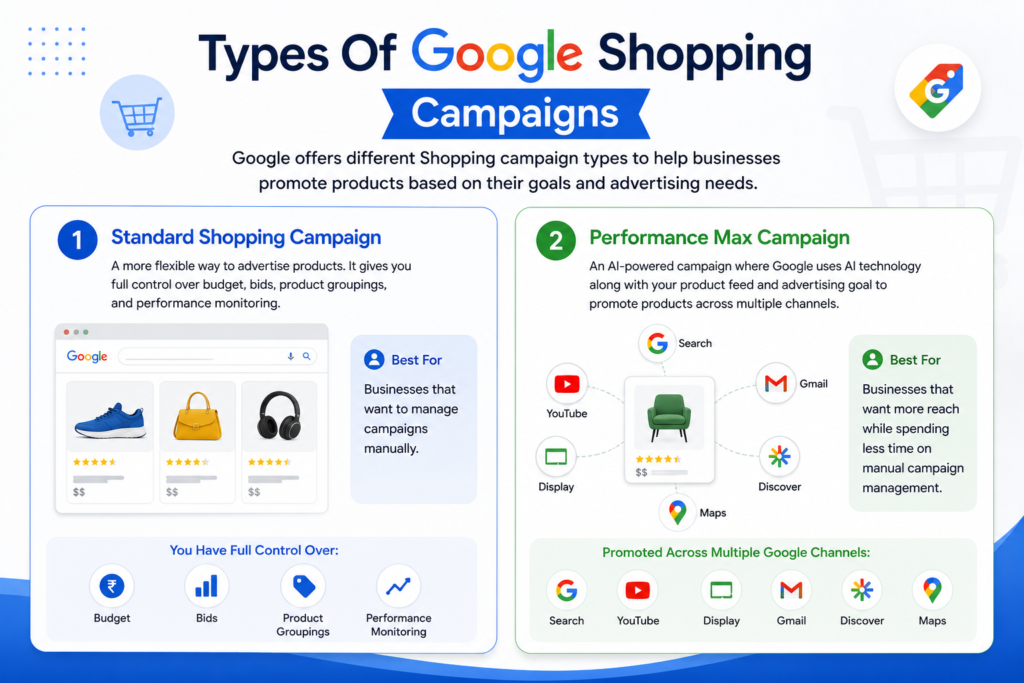
There are different Google Shopping campaign types provided by Google that enable the promotion of products in accordance with the business’s advertising needs and provide control over the Google Ads Shopping campaign. There are two types of campaigns offered – Standard Shopping Campaign and Performance Max Campaign.
1] Standard Shopping Campaign
A standard shopping campaign is a more flexible way to advertise products. This shopping campaign allows you to have control over the budget, bids, product groupings, and performance monitoring. It is suitable for those businesses that want to manage campaigns manually.
2] Performance Max Campaign
Performance Max is an AI-powered campaign where Google uses AI technology in combination with the product feed and the advertising goal provided by the business owner. Products are promoted via different channels such as search, YouTube, display, Gmail, Discover, and Maps. It is a good option for businesses that want more reach while spending less time on manual campaign management.
Benefits Of Google Shopping Ads
Google Shopping Ads are utilized by companies of all sizes since they help products to find buyers at the right time. As these advertisements show up when consumers require the products, they normally generate much more quality traffic compared to most types of online ads. Here are several main advantages of shopping campaign Google ads.
1] Better Product Visibility
One of the greatest perks of Google Shopping advertising is its higher level of visibility. Unlike typical advertisements that feature only a text headline, shopping ads include product images, prices, customer reviews, and store names directly within the search engine results page. Visual information attracts consumers’ attention and helps to make your products noticeable even in highly competitive environments.
2] Reach High-Intent Customers
Not all Google users need to buy something. But those looking for particular goods definitely want to buy them. By displaying Google Shopping ads to such potential clients, you will be able to attract customers who are already interested in similar products.
3] Enhance Click-Through Rates
As the shopper will have an idea of what to expect prior to clicking, they will click more purposefully than when viewing traditional text ads. The fact that the title of the product, its picture, and price will correspond with the shopper’s needs increases the probability that they will come to your site.
4] Advertise More Than One Product With Ease
When managing a wide variety of products, the process of creating an advertisement for each one of them becomes rather complex. In this regard, a Google Shopping campaign allows you to promote hundreds or even thousands of products through a single product feed. Any updates in terms of adding a new product or changing any information related to existing products can be done effortlessly in the same campaign.
5] Enhanced Shopping Experience
Shoppers do not need to visit many different websites in order to make a comparison. They can see the price, reviews, and seller without leaving the search results page. This makes the shopping more convenient for the consumer while increasing the business’s opportunities of reaching the potentials
6] Measurable Performance
Google Ads Shopping Campaigns, like all Google Ads campaigns, provide measurable performance; you can track the number of clicks, impressions, and conversions. Such information helps to better evaluate performance and implement optimisation to achieve better outcomes.
Best Practices To Improve Google Shopping Ads Performance
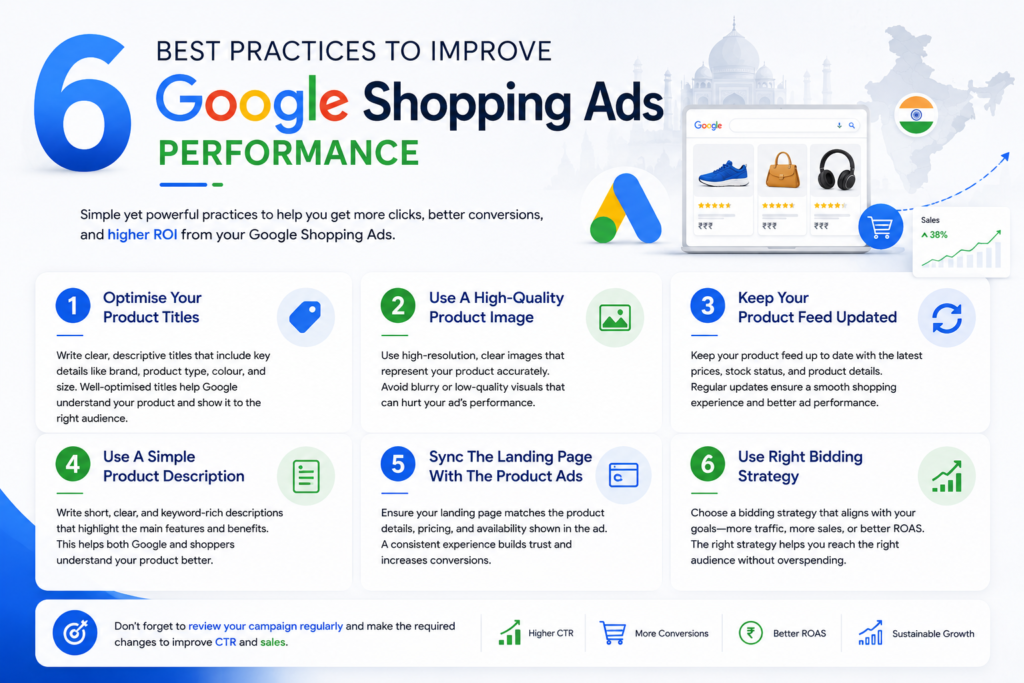
1] Optimise Your Product Titles
Your product titles play a big role in letting Google understand your product. Make the title clear and descriptive, and include important information like brand, product type, colour, and size whenever possible. The chance of your product appearing in the relevant search increases when the title is written well.
2] Use A High-Quality Product Image
People always notice the image before anything else. Make sure to use high-quality, clear images of your product in the ad that show the product accurately. Avoid using blurry images; they can make your ad look unprofessional.
3] Keep Your Product Feed Updated
Your product feed should always contain the latest update, as it helps the shoppers to stay updated with the information and reduces the chance of a poor shopping experience. Your updated product feed should contain the ongoing prices, stock status, and the change in product details; update these as soon as possible.
4] Use A Simple Product Description
Writing a simple and clear product description by adding relevant keywords while explaining the main features and benefits. It is a good practice to get your product known to both Google and potential shoppers.
5] Sync The Landing Page With The Product Ads
Every shopper expects a smooth buying experience, but the product not connecting with the landing page can create an issue. If, on clicking the ad, the shopper finds an issue with the landing page, such as different product details, pricing, or availability on the landing page, there’s a high chance they won’t continue with the purchase.
6] Use Right Bidding Strategy
Your bidding strategy shows how much you are willing to pay to run your shopping Google ads. Selecting the right strategy can help you target the right audience without wasting money. Find a strategy that suits your marketing objectives, for example, gaining more traffic to your website, boosting sales, or maximising ROAS.
Don’t forget to review your campaign regularly and make the required changes to improve CTR and sales.
Conclusion – Maximise Your Shopping Ads Performance Following Right Practices
Whether you run a start-up or an e-commerce business with years of experience, you can benefit from Google shopping ads in order to get in touch with those customers who are looking for products similar to yours.
In terms of product promotion, generating traffic, and reaching customers interested in buying products like yours, Google Shopping Advertising provides a smart solution for your business. However, to make the best of your marketing efforts, you need to create a good Google Shopping campaign, update your product feed, and analyse your campaign performance.
Further, if you need any professional support, feel free to reach out to Digital Narada. Our experts are there to help you minimise cart abandonments and improve sales and shopping ads’ ROAS through comprehensive campaign audit, merchant center optimisation, and more.